If you’ve ever seen words like userName or totalAmount and wondered why they’re written that way, you’re not alone. Many beginners assume it’s just a stylistic preference — but camelCase is actually a foundational concept in programming, one that shapes how developers name variables, functions, and entire codebases.
Understanding it properly doesn’t just improve readability. It helps you write cleaner code, sidestep common naming errors, and align with professional standards used across the industry. Here’s everything covered in this guide:
- What camelCase means in simple terms
- How camelCase works (rules + examples)
- Difference between camelCase and PascalCase
- Real-world examples (code, brands, URLs, hashtags)
- Where camelCase is used in programming
- Comparison with other naming conventions
- Common mistakes and best practices
- Step-by-step method to convert text into camelCase
What Is camelCase? (Simple Definition + Quick Example)
camelCase is a writing style where multiple words are joined together without spaces, and each word after the first starts with a capital letter.
Why It’s Called “camelCase”
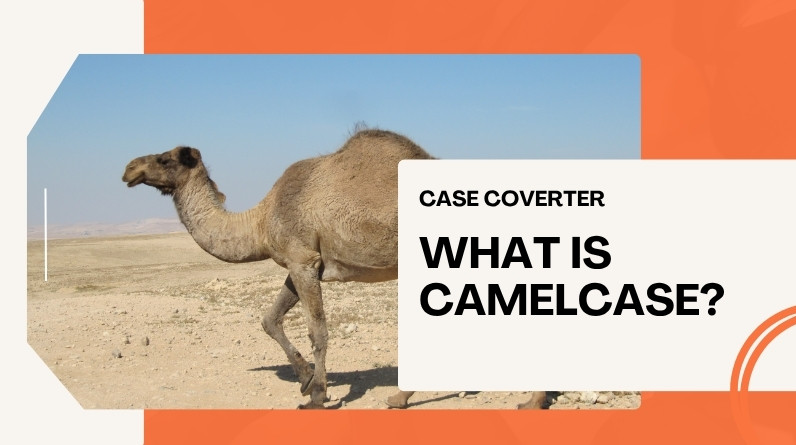
The capital letters in the middle resemble the humps of a camel — hence the name. It’s a visual metaphor that makes the pattern easy to remember and hard to forget once you’ve seen it.
Quick Examples for Instant Understanding
- firstName
- calculateTotal
- isUserLoggedIn
- orderHistoryList
Notice how each new word starts with a capital letter, while the first word stays lowercase. That single rule is what distinguishes standard camelCase from everything else.
How camelCase Works (Rules You Must Know)
Rule 1: No Spaces Between Words
All words are combined into a single continuous string. Spaces aren’t allowed because most programming languages treat them as separators — which would break the identifier entirely.
Rule 2: First Word Starts Lowercase
The first word always begins with a lowercase letter. This is the key distinction between camelCase and PascalCase, which capitalizes everything including the opening word.
Rule 3: Each New Word Starts with a Capital Letter
Every subsequent word begins with an uppercase letter, creating that characteristic “hump” that improves readability at a glance.
Step-by-Step: Convert Any Sentence into camelCase
- Start with a phrase: “total price amount”
- Remove spaces: totalpriceamount
- Capitalize each word after the first: totalPriceAmount
This process is one of the most practical case converter operations used in day-to-day development — and it applies consistently across dozens of programming languages.
Types of camelCase (Lower vs Upper Explained Clearly)
lowerCamelCase (Standard camelCase)
The first word is lowercase, and every following word is capitalized.
Example: userName, totalAmount
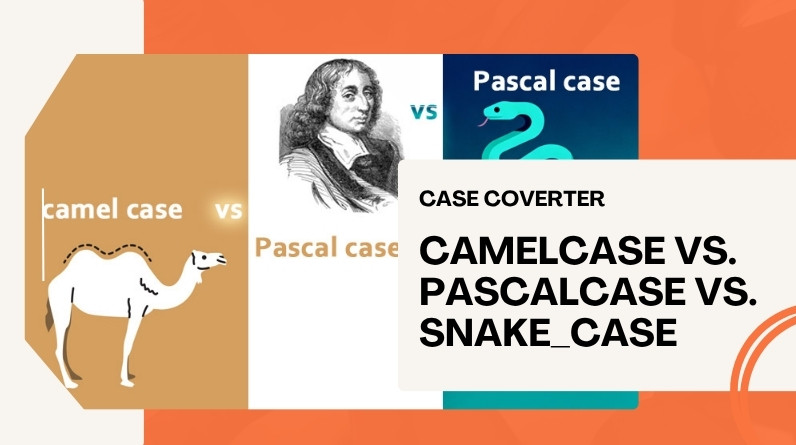
UpperCamelCase (PascalCase)
Every word, including the first, starts with a capital letter.
Example: UserName, TotalAmount
Key Differences
| Style | Example | Common Use |
|---|---|---|
| camelCase | userName | Variables, functions |
| PascalCase | UserName | Classes, components |
This distinction matters more than it might seem. In case-sensitive languages like Java and TypeScript, userName and UserName are treated as two entirely different identifiers — so mixing the styles in the wrong place causes real bugs.
Real-World Examples of camelCase (Beyond Programming)
Programming Variables & Functions
- let totalAmount = 500;
- function calculateInterest() {}
- const isLoggedIn = true;
Brand Names
- iPhone
- YouTube
- eBay
- PowerPoint
Usernames & Hashtags
- JohnSmith
- #DigitalMarketingTips
Using camelCase in hashtags improves readability, and it’s especially helpful for accessibility — screen readers parse #DigitalMarketingTips correctly as three distinct words, while #digitalmarketingtips is read as one long string.
File Names & URLs
- myProjectFile.js
- EasyBookingSystem.com
Spaces in file names create issues in command-line environments and URLs — camelCase sidesteps all of that cleanly, without needing percent-encoding or quotes.
Where Is camelCase Used in Programming?
JavaScript Naming Conventions
JavaScript uses camelCase as the default style for variables and functions — it’s baked into virtually every style guide, from Google’s to Airbnb’s.
- let userAge = 25;
- function getUserData() {}
Java, C#, TypeScript & Go Best Practices
These languages follow structured naming rules that separate concerns clearly:
- camelCase → variables and methods
- PascalCase → classes, interfaces, and exported identifiers
When camelCase Is NOT Used
Some languages and contexts prefer different conventions:
- Python → snake_case (per PEP 8)
- Constants → UPPER_CASE (across most languages)
- CSS classes and URLs → kebab-case
Choosing the right format ultimately depends on the language you’re writing in and the camelCase conventions its community has standardized around. When in doubt, check the official style guide.
camelCase vs Other Naming Conventions (Clear Comparison)
Comparison Table
| Style | Example | Usage |
|---|---|---|
| camelCase | userName | JavaScript, Java, TypeScript variables |
| snake_case | user_name | Python, databases |
| kebab-case | user-name | URLs, HTML, CSS |
| PascalCase | UserName | Classes, components, exported types |
Which One Should You Use?
Use camelCase when working with languages like JavaScript, Java, TypeScript, or Go — particularly for variables and functions. Stick to the other styles only when the language or framework actively requires them. Consistency within a single project matters more than which style you pick.
Why camelCase Is Important (Benefits Explained)
Improves Readability
The internal capitals act as visual word breaks, making long identifiers like calculateMonthlyInterestRate far easier to scan than an undifferentiated blob of lowercase characters.
Prevents Errors in Code
Consistent naming reduces confusion and the kind of silent bugs that come from mismatched variable names — especially in case-sensitive environments where totalAmount and TotalAmount are completely different things.
Maintains Consistency in Projects
Teams rely on standardized naming to keep codebases organized and scalable. A codebase where every developer follows the same conventions is dramatically easier to review, debug, and hand off.
Works Without Spaces
Since most programming languages don’t allow spaces in identifiers, camelCase provides a clean, universally understood solution — no special characters, no encoding, no workarounds.
Common Mistakes to Avoid When Using camelCase
Confusing camelCase with PascalCase
Capitalizing the first word when it should be lowercase is the most common beginner slip — and in strict languages, it can cause real compile-time or runtime errors.
Incorrect Capitalization
Writing userName as usernameData loses the word boundary entirely, making the name harder to parse at a glance.
Overusing Acronyms
Instead of XMLHTTPData, use xmlHttpData — it reads more naturally and follows the convention that only the first letter of an acronym should be capitalized in camelCase context.
Inconsistent Naming
Mixing camelCase with snake_case or PascalCase within the same codebase creates confusion and maintenance headaches down the line. Pick one style per context and stick to it.
Best Practices for Using camelCase (Expert Tips)
- Keep names short but meaningful
- Use full words instead of cryptic abbreviations
- Stay consistent across the entire codebase
- Follow language-specific conventions — don’t improvise
- Use descriptive names like calculateTotalPrice instead of calcTP
- Consider using a linter (ESLint, Prettier, etc.) to enforce naming rules automatically across your team
How to Convert Text into camelCase (Step-by-Step Guide)
Manual Method
- Start with a phrase: “user profile data”
- Remove all spaces
- Capitalize the first letter of each word after the first
- Result: userProfileData
For quick, error-free conversions, the text case converter at Case Converter Now handles it in one click — paste any phrase and get the camelCase output instantly, without having to count word boundaries manually.
Common Conversion Mistakes
- Capitalizing the first word by mistake
- Forgetting to capitalize subsequent words
- Leaving spaces in the output string
FAQs About camelCase
What is an example of camelCase?
Common examples include firstName, totalAmount, and isLoggedIn — all widely used in JavaScript and Java codebases.
Is camelCase used in Python?
Python’s official style guide (PEP 8) recommends snake_case for variables and functions. That said, camelCase can still appear in Python when working with APIs or libraries that follow JavaScript or Java conventions.
Is camelCase better than snake_case?
Neither is objectively better — it depends on the language and context. camelCase is the standard in JavaScript and Java; snake_case is preferred in Python and database column names. Use whichever your language’s community expects.
Can camelCase be used in URLs?
Technically yes, especially when spaces aren’t allowed and you want to keep a name readable. In practice though, kebab-case is the more widely recommended convention for URLs and slugs.
Conclusion: When Should You Use camelCase?
camelCase is more than a stylistic preference — it’s a practical, battle-tested solution for creating readable, consistent, and error-free identifiers in programming and digital environments.
Use it when working with JavaScript, Java, TypeScript, or Go, when spaces aren’t an option, and when clarity matters in a team context. Avoid it where other conventions are the standard, such as Python or CSS.
If you need to convert text quickly and accurately, the free case converter at Case Converter Now supports camelCase alongside a full range of naming styles — no sign-up, no limits, instant results.
Leave a Reply